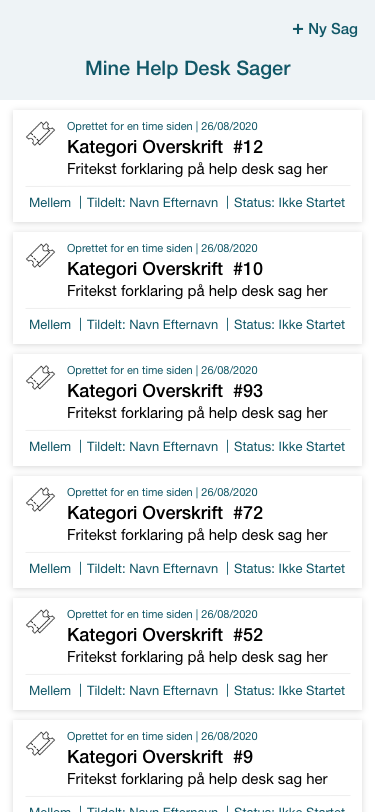
Enabling fast, accurate incident reporting from the factory floor
Context & Objective
The client needed a mobile-first solution that allowed machine workers to report technical incidents quickly and efficiently while operating industrial equipment.
The goal was to ensure:
- Faster internal response times
- Accurate reporting for incident tracking and cost calculation
- A simple and intuitive interface that worked in noisy, time-sensitive environments
The app needed to be accessible directly on-site, requiring minimal steps and cognitive load for end users in demanding settings.
My Role
- Lead UX & UI Designer
- Designed wireframes and flow logic
- Delivered a full custom mobile UI tailored to factory conditions
- Focused on usability, clarity, and speed of interaction
User Research
While this project had limited direct user access, I based the design on:
- Interviews and requirements gathered from internal stakeholders
- Workflow documentation and existing manual reporting processes
- Environmental constraints (e.g. use with gloves, noise, urgency)
- UX heuristics for low-distraction UI in high-pressure environments
Personas & Journeys
Primary persona:
- Machine Worker
- Needs to report issues quickly and with minimal effort
- Often under time pressure
- May be operating machines at the same time
- May have limited familiarity with tech or apps
User journey:
Notices an issue → Opens app → Selects issue type → Adds short description/photo → Submits
Design Solution
PThe final mobile app design included:
- High-contrast visuals for visibility in industrial environments
- Simple iconography and terminology adapted to the workers' domain
- Step-by-step flow with only essential input fields
- Option to auto-log time and machine ID where applicable
- Confirmation screen with issue summary and escalation logic
The UI was intentionally clean and robust — reducing visual noise while guiding the user through the task.
Outcome & Learnings
- Delivered a functional and scalable mobile app design for field use
- Provided clear reporting flows that improved internal response processes
- Enabled faster cost estimation based on real-time issue tracking
- Reinforced the importance of designing for constrained environments, where speed and clarity outweigh visual complexity
When designing for frontline users, empathy and simplicity are the most powerful tools.
Tools Used
- Figma – Wireframes, app design, interactive flow
- Miro – Ideation and stakeholder mapping
Flow